2 minutes
Once a student's fee waiver has been sent to the institution, they can visit their application tracker for that institution to view the status of the request. They'll be able to track whether the institution has received it and downloaded it. If the institution received the letter but didn't open it in time, the status will indicate that the fee waiver has expired.
How students track their fee waiver request:
- They open Plans and click College Applications.
 Click to enlarge
- They click on the institution to open its tracker.
- At the bottom of the application checklist, they'll find the Fee waivers status.
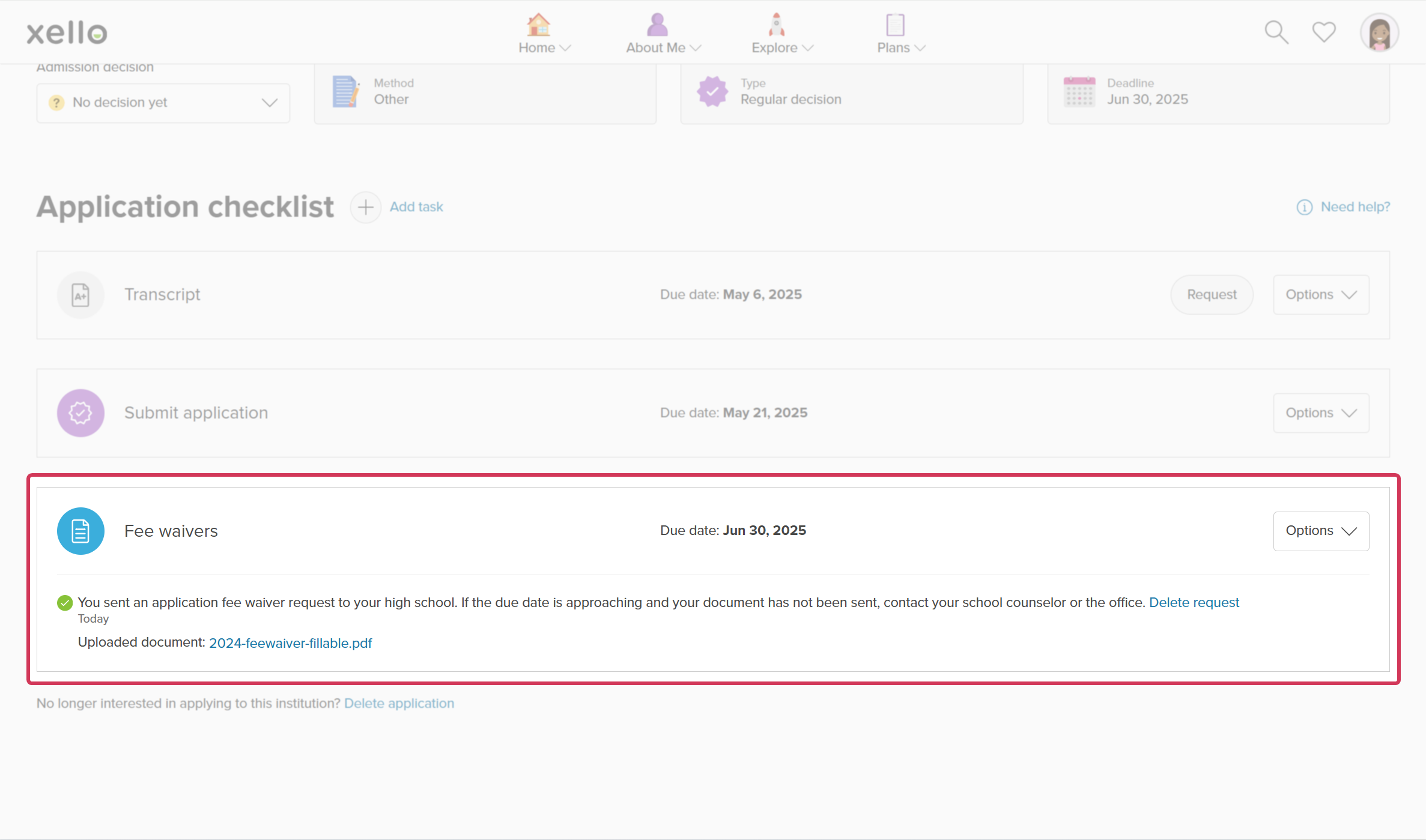 Click to enlarge
- From the Options dropdown, they can edit the due date of the fee waiver request, or mark it as complete.
Fee waiver statuses are as follows:
- Sent: The fee waiver form has been sent by Parchment or email.
- Delivered: The fee waiver form has been made available to the recipient.
- Downloaded: The fee waiver form was downloaded or sent to the institution's admission system.
- Expired: The fee waiver form wasn't downloaded within the delivery window.
 Back to top
Additional resources
-
 PDF
PDFShare the fee waiver form in Xello
PDF
PDFShare the fee waiver form in XelloYour students can fill out and upload their fee waiver form to Xello for you to send to their chosen schools. Use this guide for the most efficient way to share the form with your students.