2 minutes
Xello’s assessments are a great opportunity for you to get to know your students better. View their results, start a discussion in class, encourage students to explore the careers they matched with, or try it out yourself!
 FYI: Need a reminder on how to access and log in to your student experience demo account? Check out Access your demo account.
To view your student’s assessment results:
-
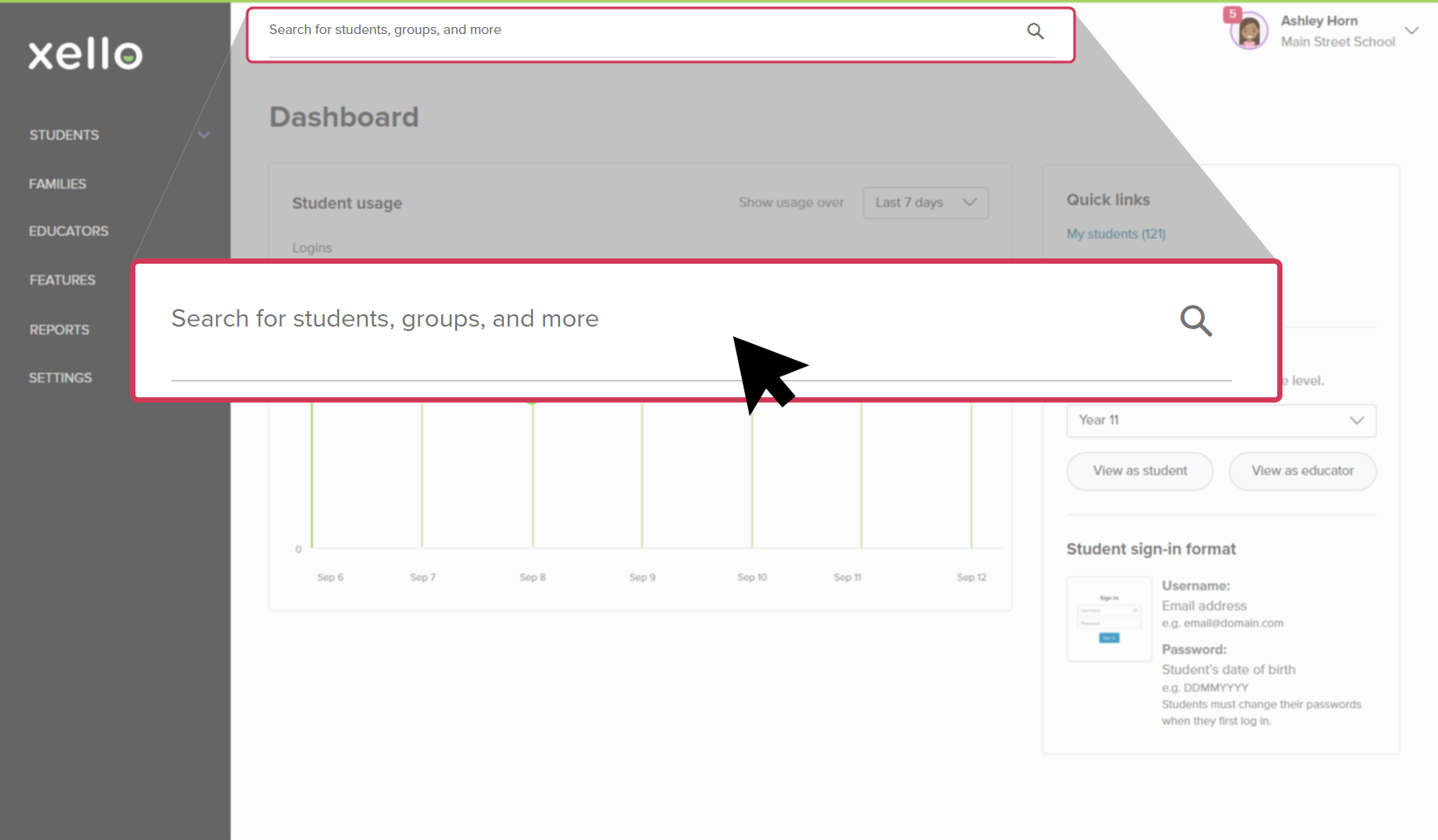
In the search bar located at the top of any page in your educator account, enter the student's name or ID.
 Click to enlarge
 Tip: Alternatively, from the left menu, click Students and select Student list to browse the full list of students.
 -
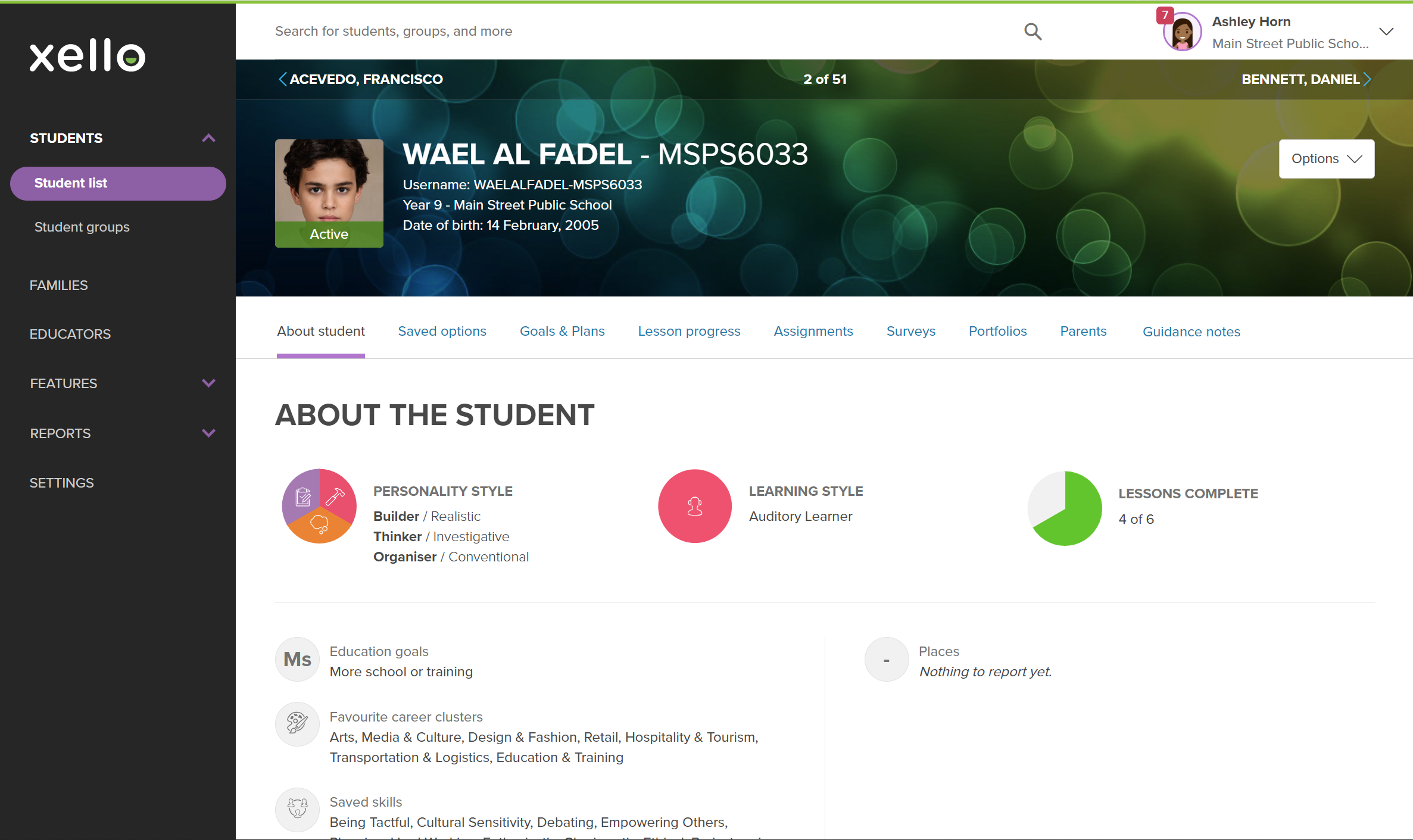
Click on the student's name. The About student tab of their profile opens.
 Click to enlarge
- Read through their profile to see their assessment results, including top ranked career matches, and top ranked skills.
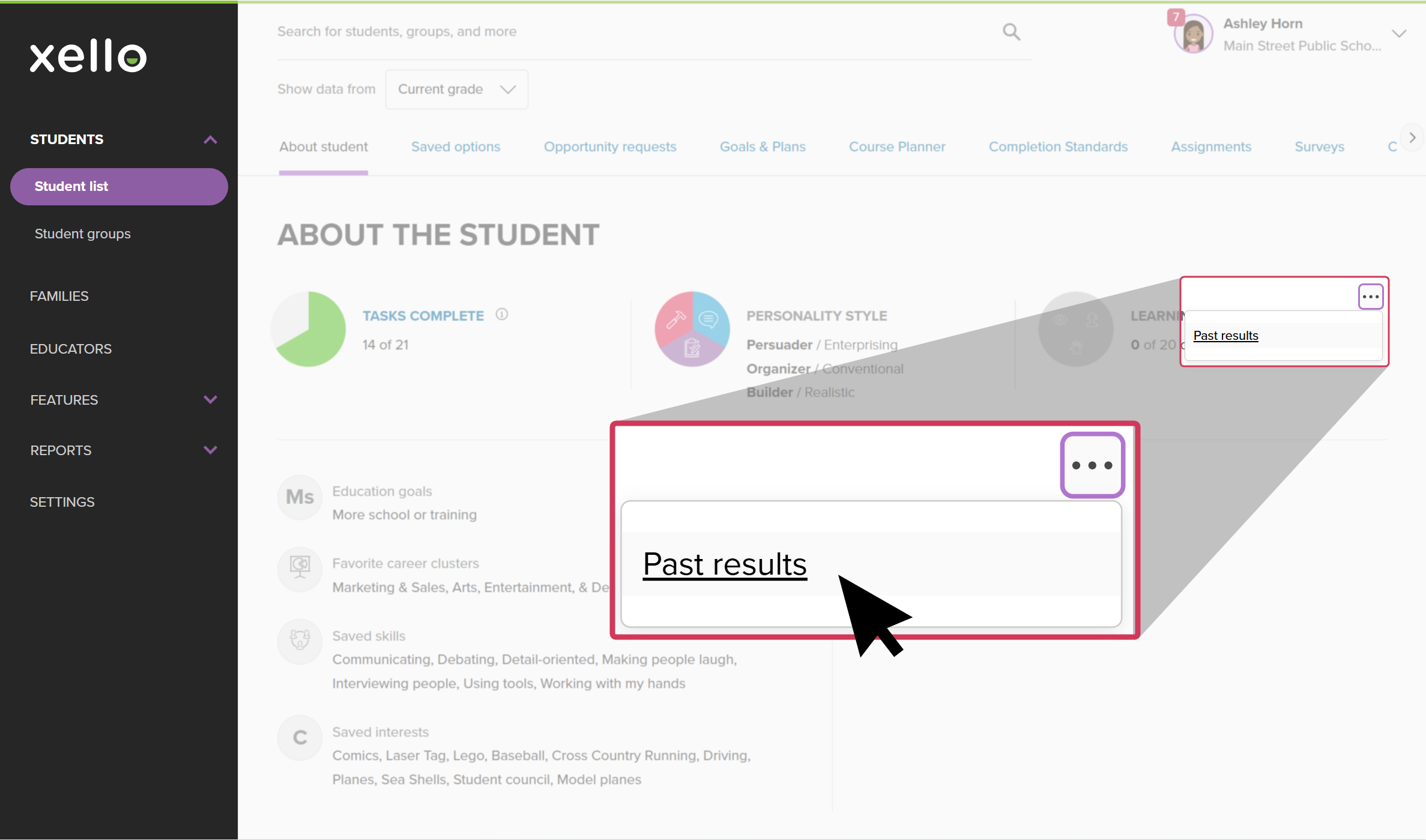
- If the student's assessment has been reset at any point, you can view their previous results. Next to the assessment, click the three-dot menu and select Past results. A page will open showing all of the assessment results, including past years'.
 Click to enlarge
- If the student's assessment has been reset at any point, you can view their previous results. Next to the assessment, click the three-dot menu and select Past results. A page will open showing all of the assessment results, including past years'.
Tip: You can also find aggregate information on students' interest matches, personality styles, desired skills, and more in the Student Work reports. To learn more, check out
Run Reports on student work.
 Back to top
Additional resources
-
 PDF
PDFAssessments in Xello - student guide
PDF
PDFAssessments in Xello - student guideShare this guide to help introduce students to the Matchmaker and Skills Lab assessments. Learn how students can discover career matches and build their self-knowledge profiles.
-
 Short video
Understanding your career matches - video for students
Short video
Short videoUnderstanding your career matches - video for studentsWatch and share this short video to help students understand how the Matchmaker quiz matches them with careers, introducing them to new and exciting possible career paths.
-
Short video
Short videoIntroduction to Skills Lab - video for educators
In the Skills Lab assessment, students assess 35 skills and critically evaluate how often they wish to use each skill in their future career.