5 minutes
While engaging with Xello, students are often prompted to save their most preferred options. This includes the careers they're interested in, the schools they're considering, or what
In your educator account, run a report to see your students' Saved options. View like-minded groups of students who are interested in the same careers, schools, or
View the following different reports on students' saved options: Saved careers, Saved schools, and Saved programs.
 FYI: To learn how to group students based on report results, sort the lists in reports, filter the data, and more, check out
Tips and tricks with reports.
FYI: To learn how to group students based on report results, sort the lists in reports, filter the data, and more, check out
Tips and tricks with reports.
Saved careers
Running a report on Saved careers can give you immediate insight into what sparks your students' interest. You can use this data to help you adapt everyday lessons, hold targeted discussions, and connect learning to goals students already care about.
To run a report on students' saved careers:
-
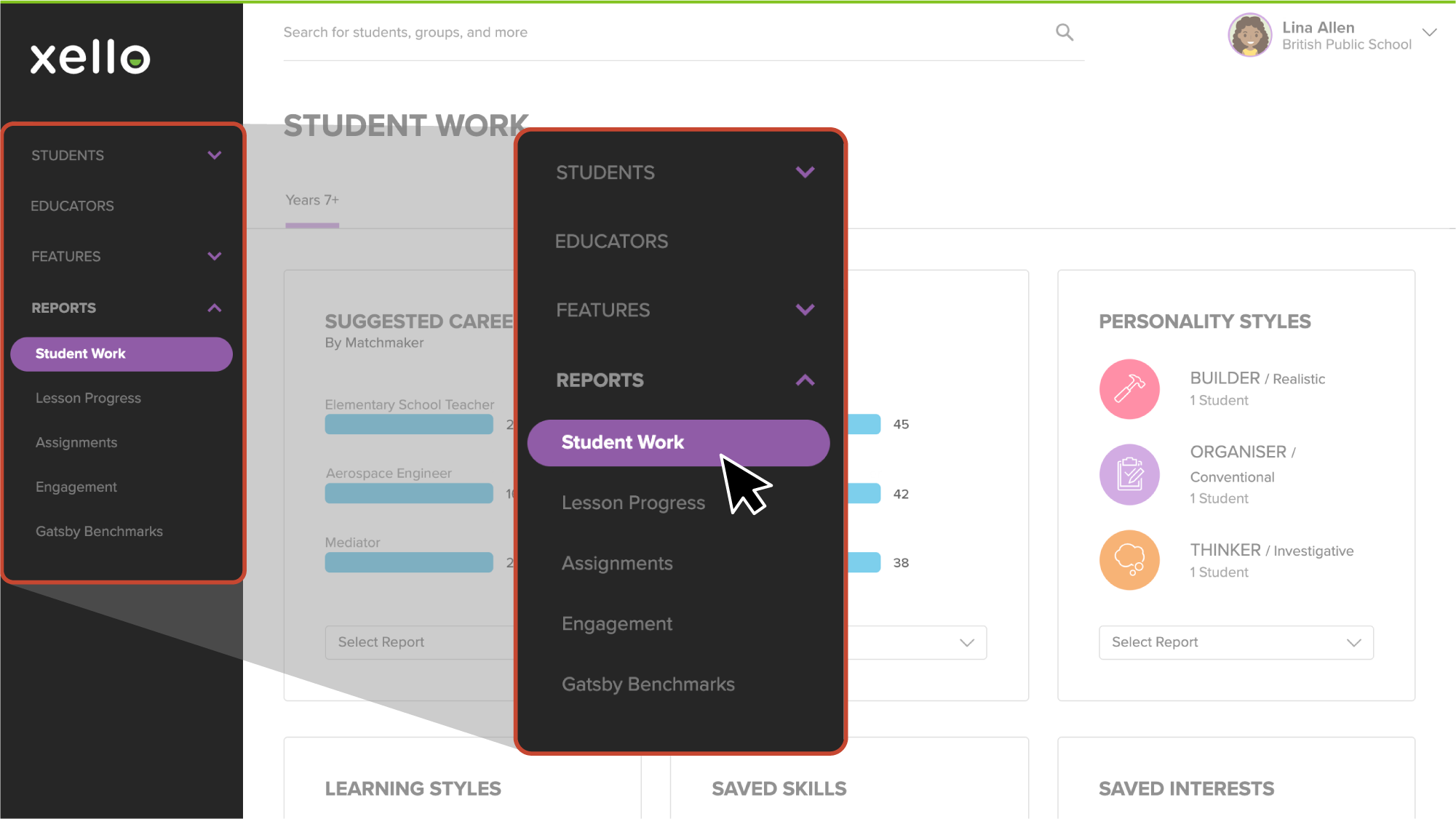
From your educator account, click Reports and select Student work.
 Click to enlarge
- From the Student work page, scroll down until you find Saved careers.
- Click Select report and choose which report you'd like to view. You can choose between:
- Saved careers
- Saved careers by student
- Saved clusters
- Saved clusters by student
FYI: If you select a "by Student" report, by default the report is filtered to only include students who have completed the necessary work.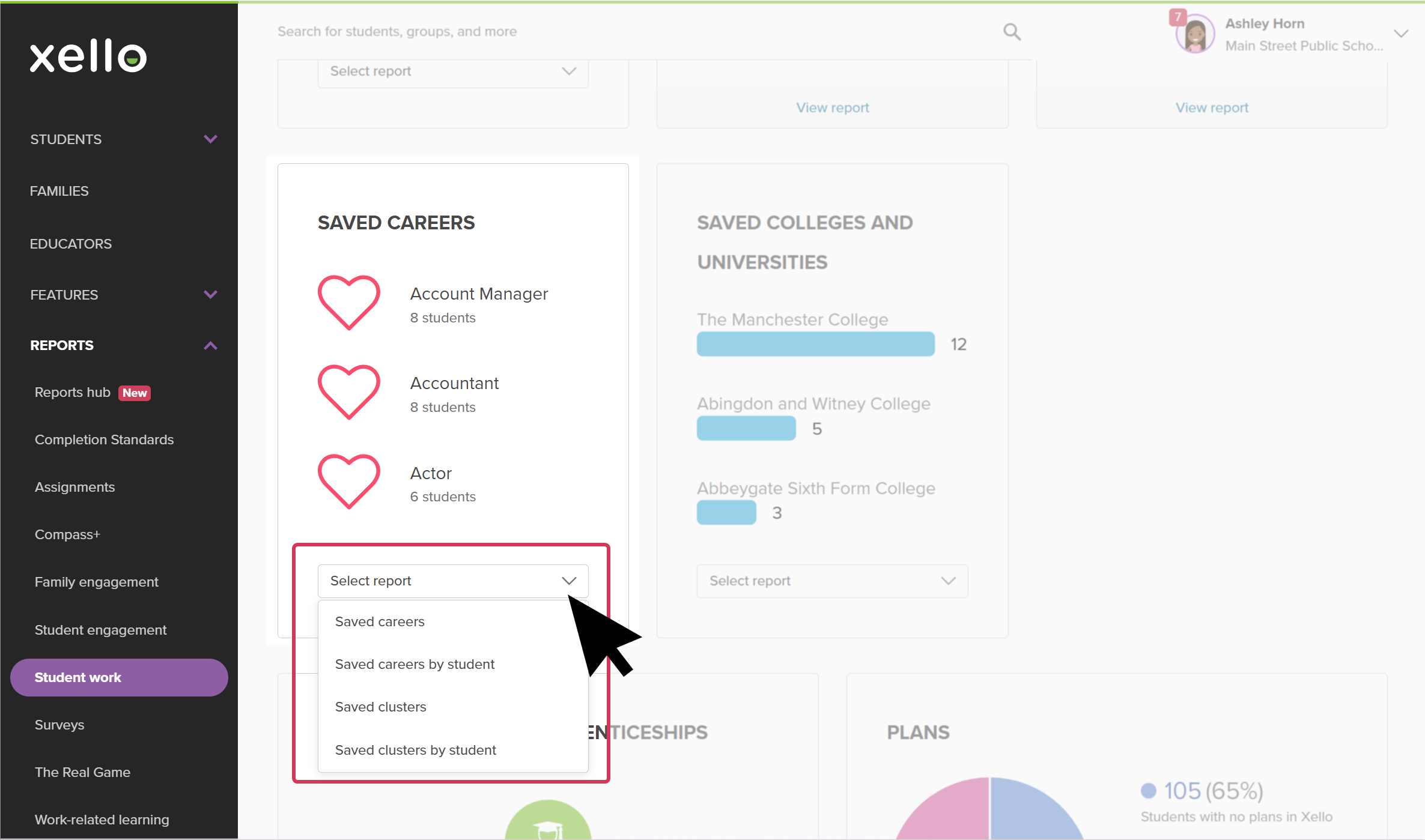 Click to enlarge
 Back to top
Saved colleges & universities
Running a report on Saved
-
From your educator account, click Reports and select Student work.
Click to enlarge
-
From the Student work page, scroll down until you find Saved
- Click Select report and choose which report you'd like to view. You can choose between:
- Saved colleges
- Saved colleges by student
- Saved universities
- Saved universities by student
FYI: If you select a "by Student" report, by default the report is filtered to only include students who have completed the necessary work.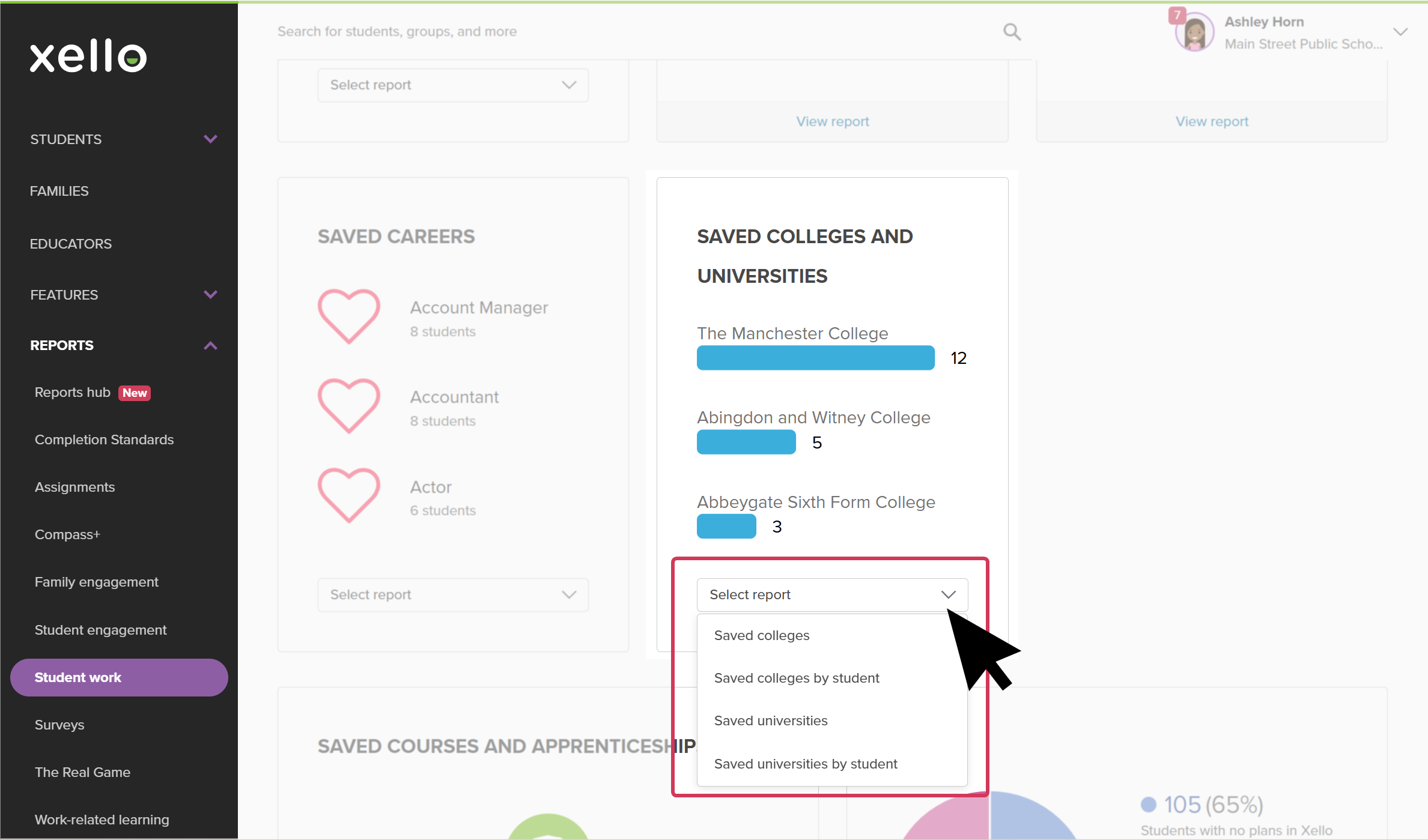 Click to enlarge
Saved courses & apprenticeships
Run a report on Saved
-
From your educator account, click Reports and select Student work.
Click to enlarge
-
From the Student work page, scroll down until you find Saved
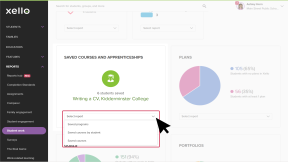
- Click Select report and choose which report you'd like to view. You can choose between:
- Saved programs
- Saved courses
- Saved courses by student
FYI: If you select a "by Student" report, by default the report is filtered to only include students who have completed the necessary work.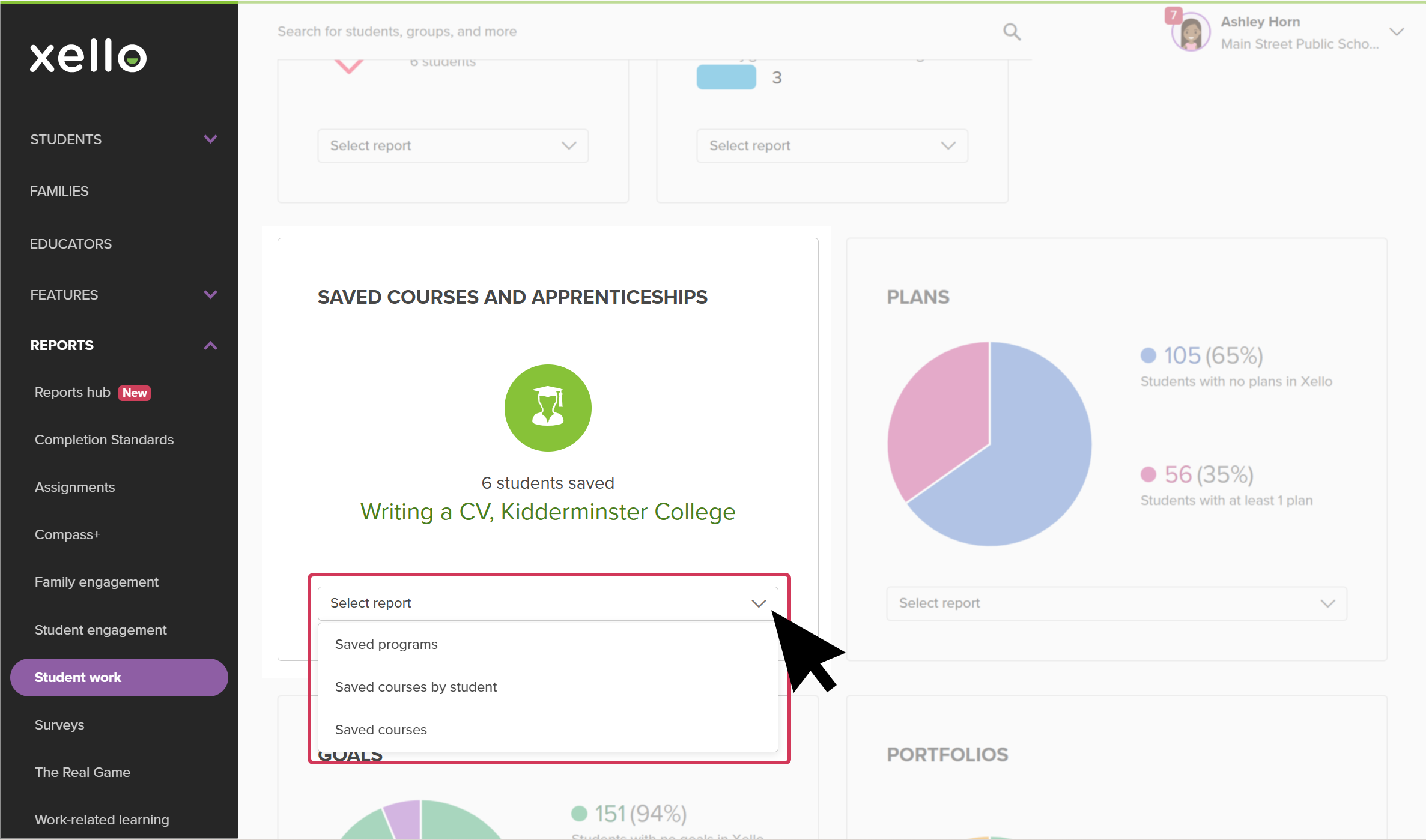 Click to enlarge