1 minute
While Xello is digital, sometimes a printed version of student work is necessary - including the student's course plan.
Xello's printed four-year course plan includes credits left, selected courses, as well as space for Parent/Guardian, Student, and Counselor signatures.
To print a student's course plan:
-
In the search bar located at the top of any page in your educator account, enter the student's name or ID.
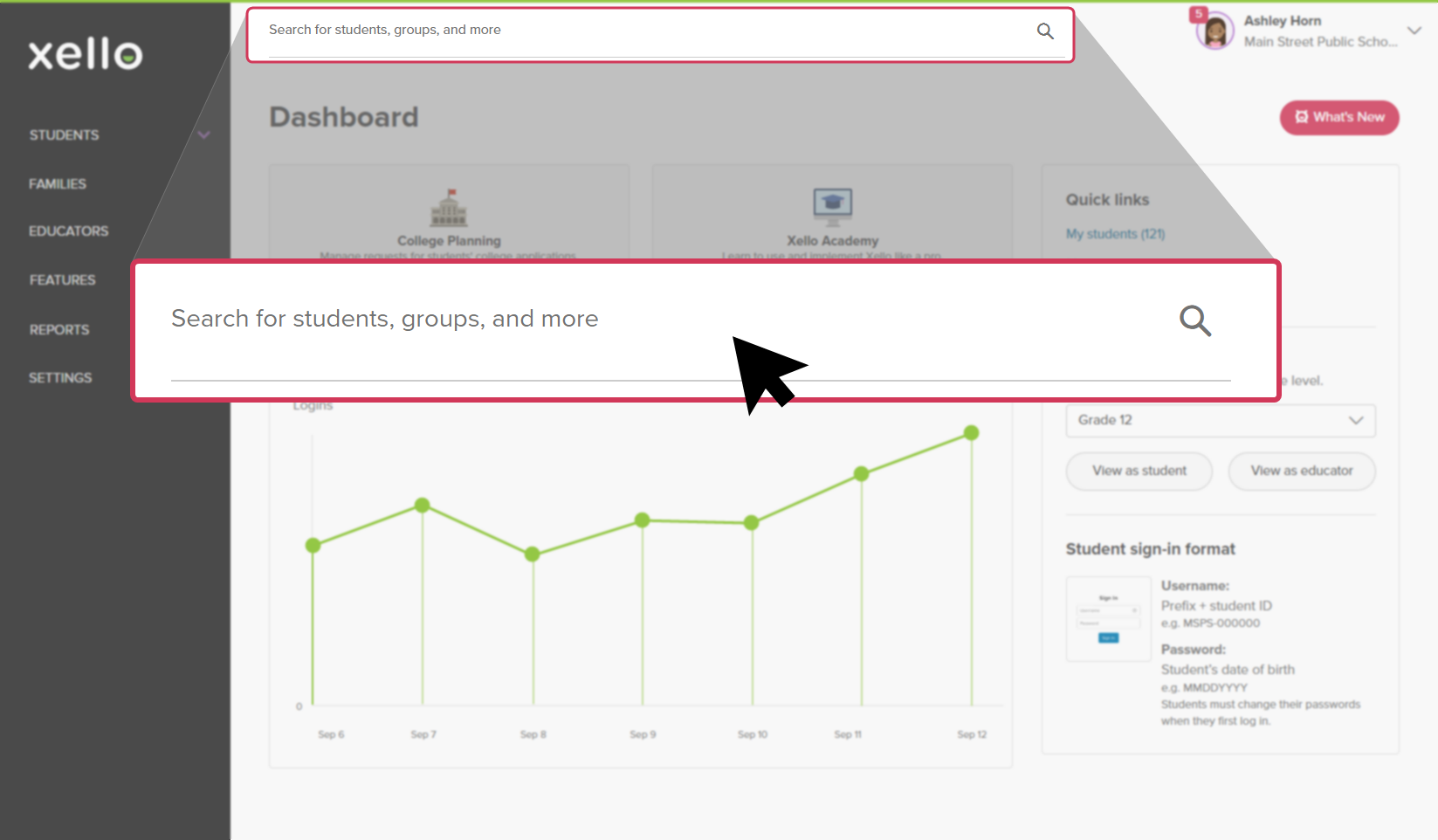 Click to enlarge
 Tip: Alternatively, from the left menu, click Students and select Student list to browse the full list of students.
 -
Click on the student's name. The About student tab of their profile opens.
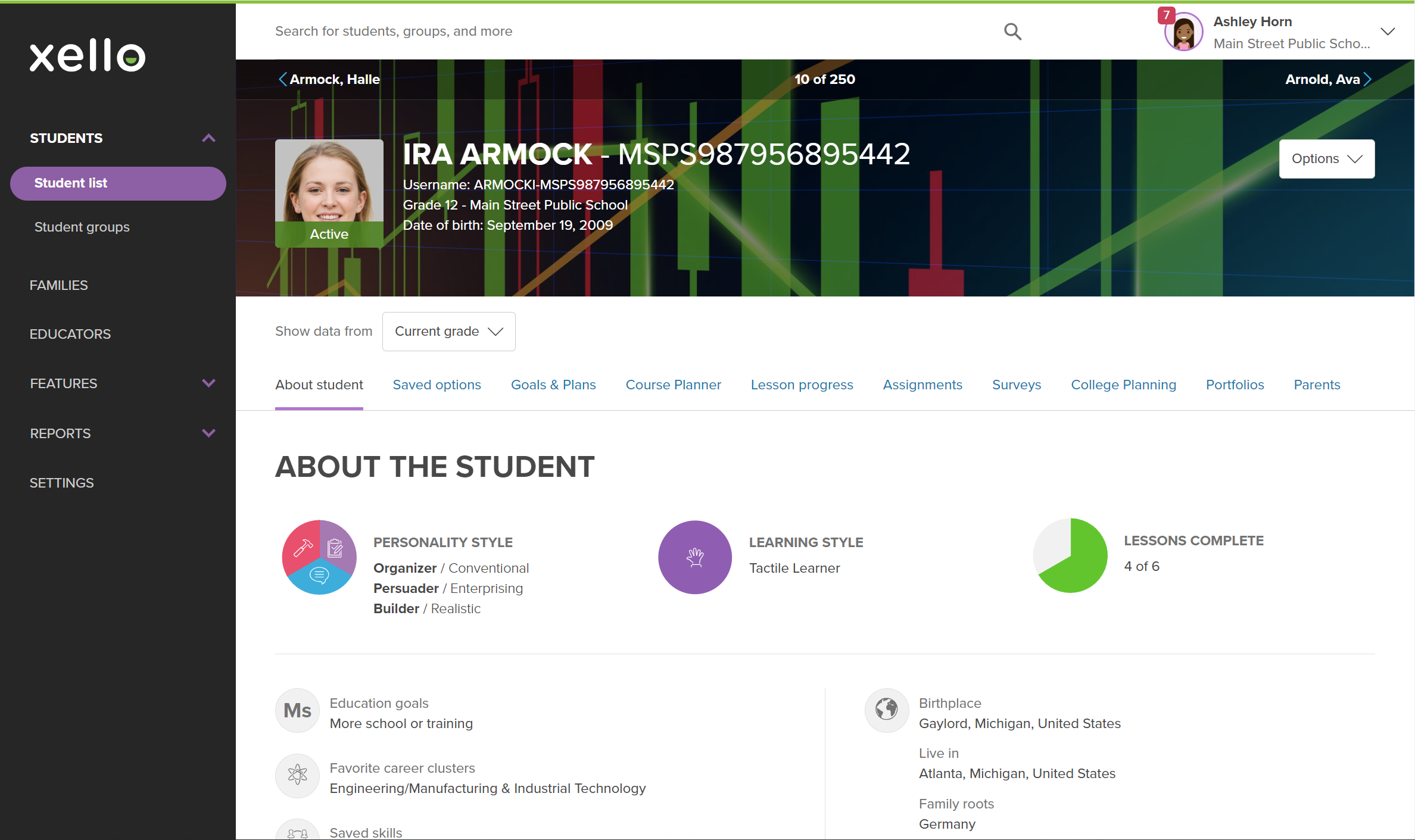 Click to enlarge
- Click the Course Planner tab.
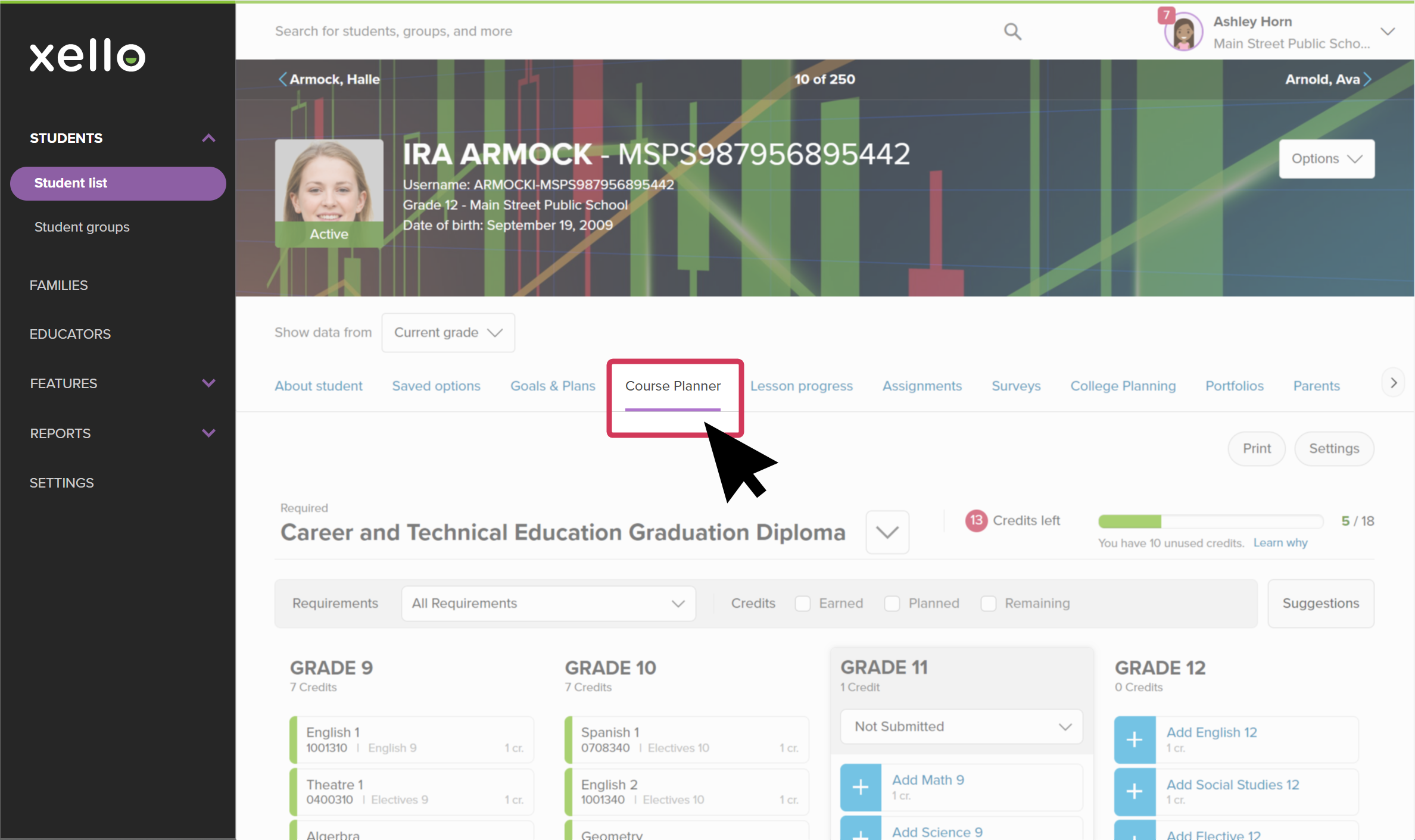 Click to enlarge
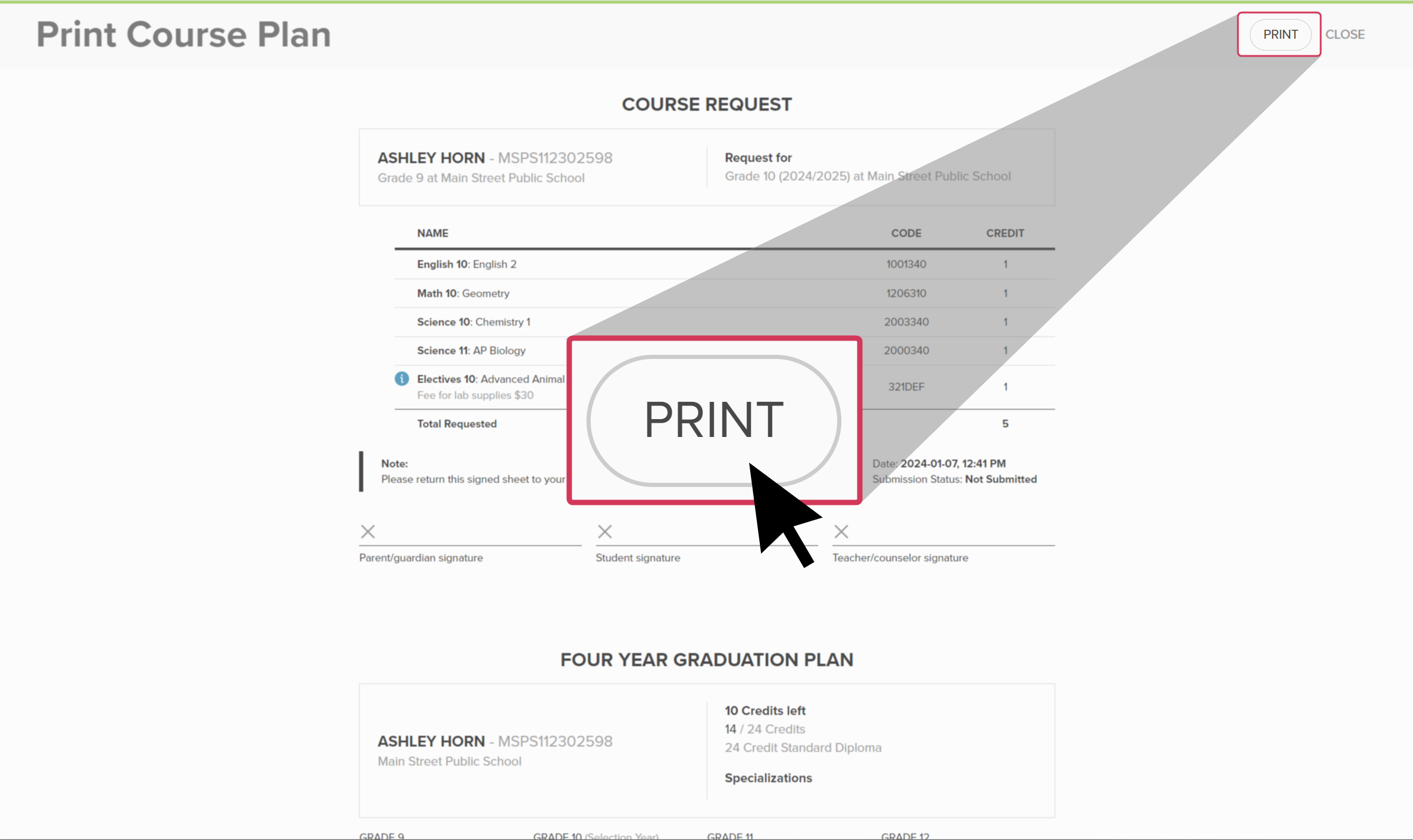
- From the top right of the Course Planner page, click Print to open the print preview of the course plan.
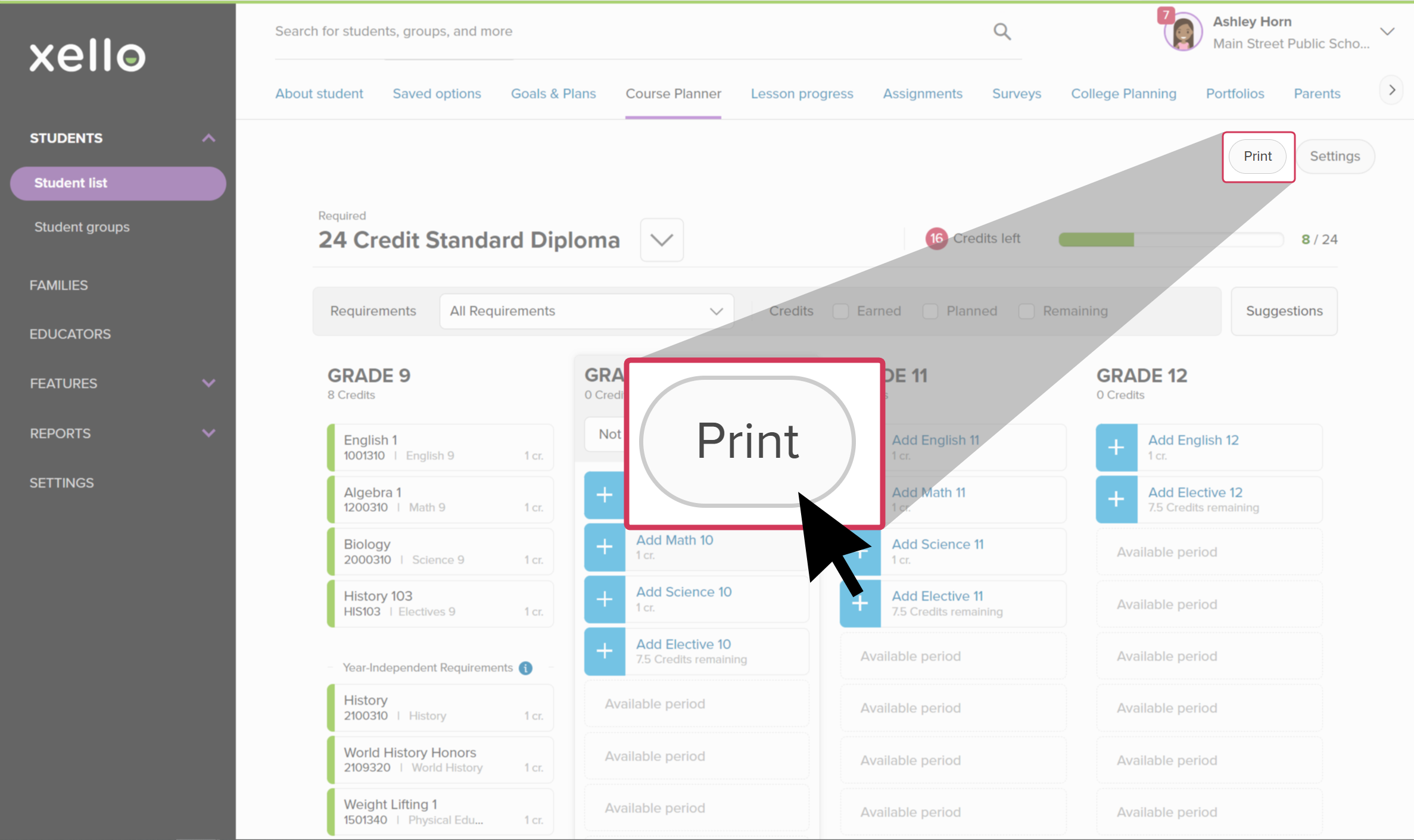 Click to enlarge
- From the top of the print preview page, click Print.
 Click to enlarge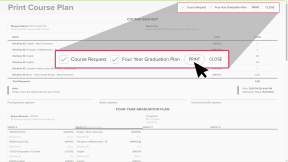
- You can deselect Course Request and Four Year Graduation Plan to remove them from the printed version.
 FYI: If you're looking to print more than one student's course plan, you can bulk export and print multiple student plans at once. Check out Mass Export and Print Course Plans to learn more.
 Back to top
Additional resources
-
 Short Video
Plan your middle school courses in Xello - video for students New
Short Video
Short VideoPlan your middle school courses in Xello - video for students NewCheck out and share this video with students to learn how Xello's Course Planner helps middle school students practice building course plans. They use it to learn more about the electives that interest them and develop their decision-making skills.
-
Short Video
Short VideoPlan your high school courses in Xello - video for students
To see how students use Course Planner in Xello, check out this video and share it with your students.
-
Short Video
Short VideoCourse Planner for middle school educators - video for educators New
Xello's Course Planner allows middle school students to practice building course plans, helping them develop their decision making skills. Middle school counselors and educators can efficiently utilize Course Planner to support their students in designing a realistic education plan that sets them up for success. Watch this short video to learn more.
-
Short Video
Short VideoManaging students' high school course plans - video for educators
In this short video, you'll see how Xello’s Course Planner lets students manage their course selections to meet diploma requirements.
-
 PDF
PDFWork with middle school course plans - guide for educators
PDF
PDFWork with middle school course plans - guide for educatorsUse this guide to support middle school students in creating their course plans in Xello, helping them stay on track and have confidence in their choices.
-
PDF
PDFWork with high school course plans - guide for educators
Follow this guide for tips on how to make your high school course planner review process a breeze. Learn how to review, track, action, and approve student course plans.
-
 Xello Academy
Course Planner for middle school educators New
Xello Academy
Xello AcademyCourse Planner for middle school educators NewAre you a middle school educator who works with Course Planner in Xello? In this course, you will learn how to effectively utilize Course Planner and support students in learning about how to create realistic education plans..
-
Xello Academy
Xello AcademyCourse Planner for high school
Are you a high school
-
PDF
PDFCourse Planner annual tasks guide
Download this guide for helpful reminders on what to review and update in Xello's Course Planner each year.
 Select