
About reports in Xello
Xello's Reports tool is a powerful aid in getting the big data about your students and their progress and engagement. Easily track how many students have signed in and how often, how many students have completed their assignments, and how many have saved careers and options.
While the reports may be great at big statistics, they also make it easy to narrow the data down to the students who are tactile learners, or the students who have chosen specific careers, or even the students who are struggling to finish their course plan and may need a bit more support.
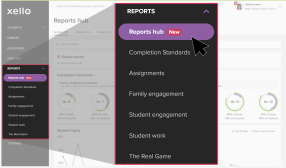
Access and run reports directly from your educator account. To get started, click Reports from the left menu to open the Reports hub. Use it to quickly find the reports you need, check student progress at a glance, and save your most-used report views.