2 minutes
When necessary, you can add a request for an opportunity on a behalf of a student. By adding a
 Note: This is for educators who are assigned the role of WBL Coordinator or WBL Admin. To learn more about WBL permissions, check out Work-based learning roles.
To make a request for an opportunity on behalf of a student:
- From your educator account, click Features and select
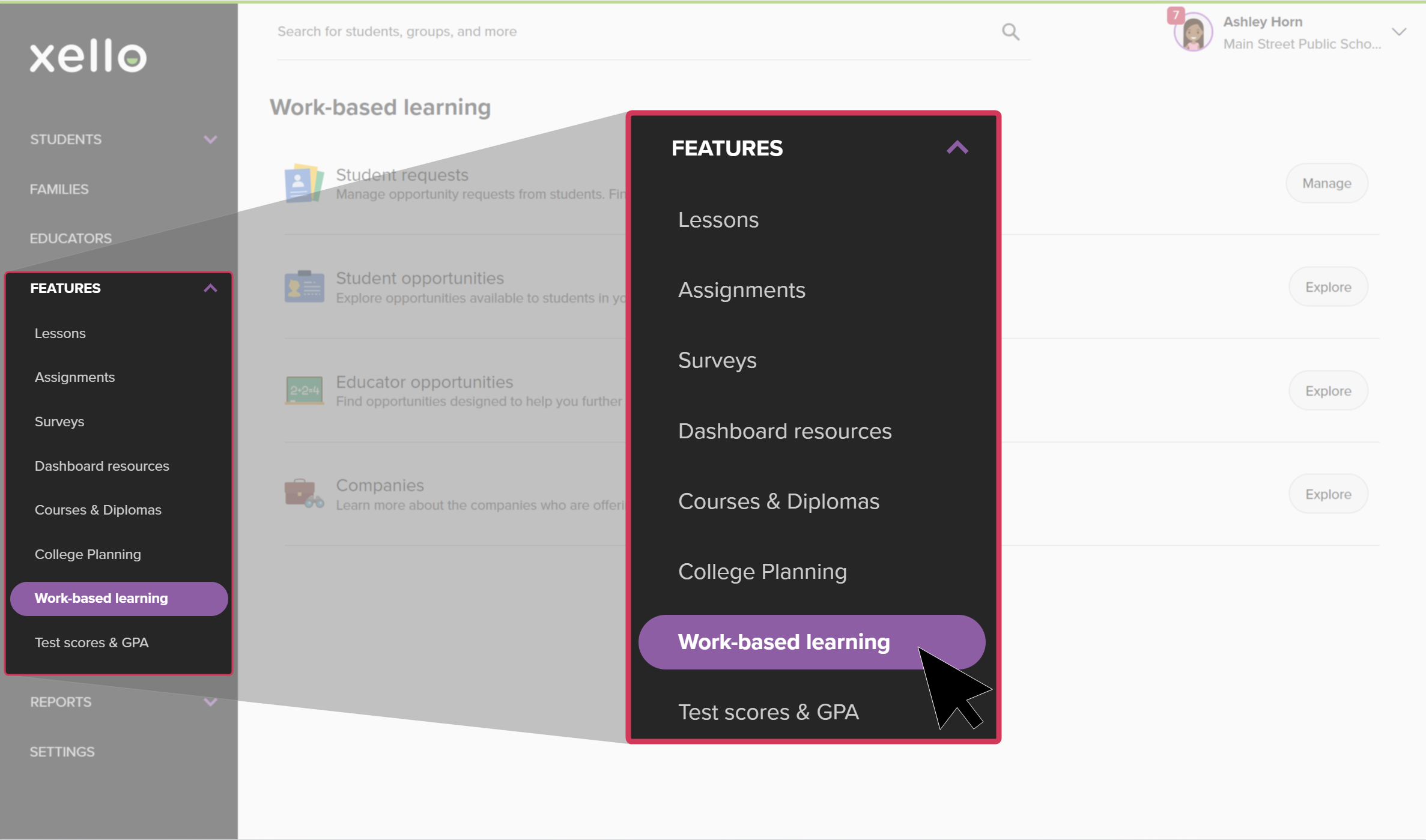 Click to enlarge
- Next to Student requests, click View.
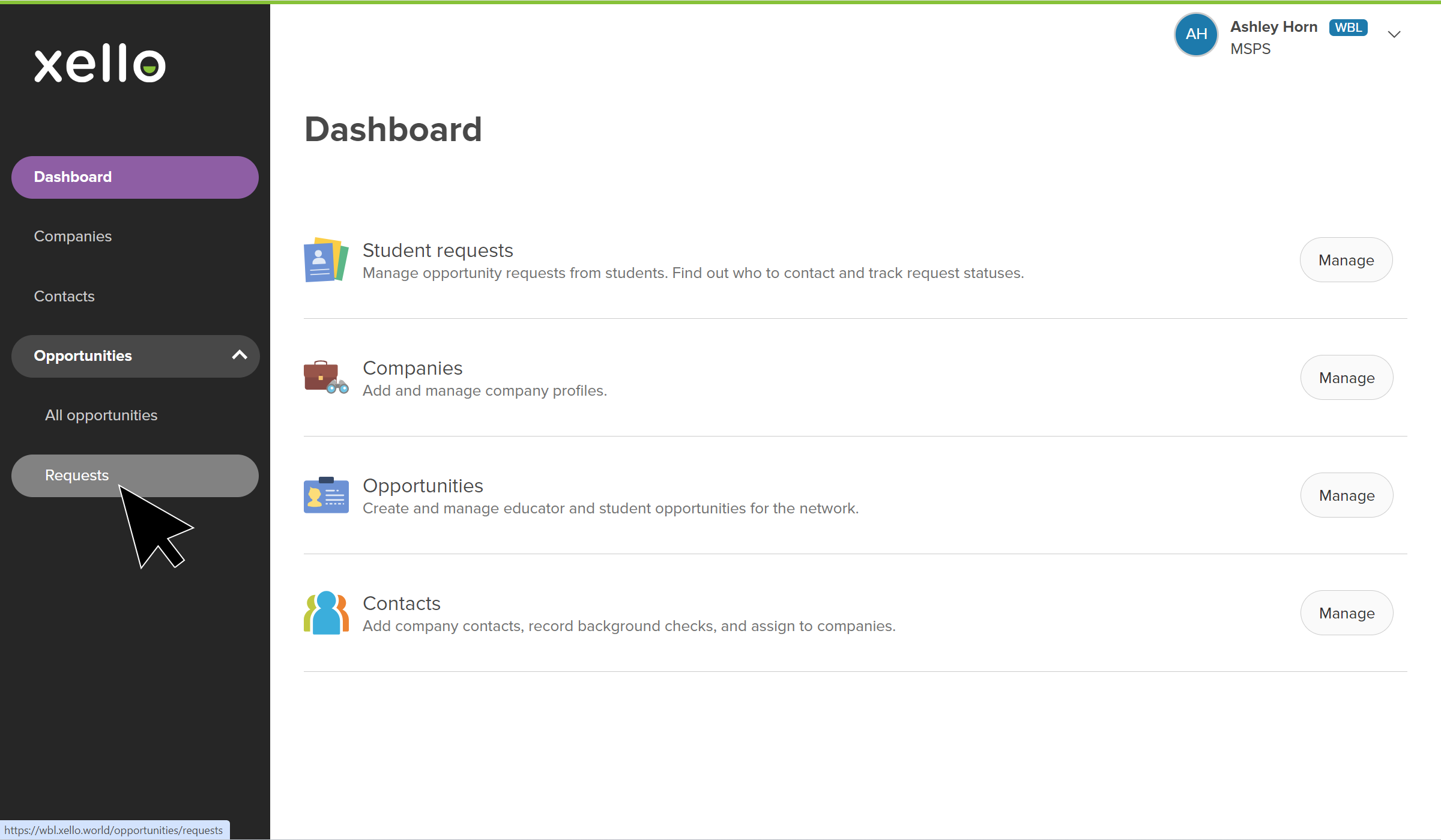 Click to enlarge
- Click the Add request link.
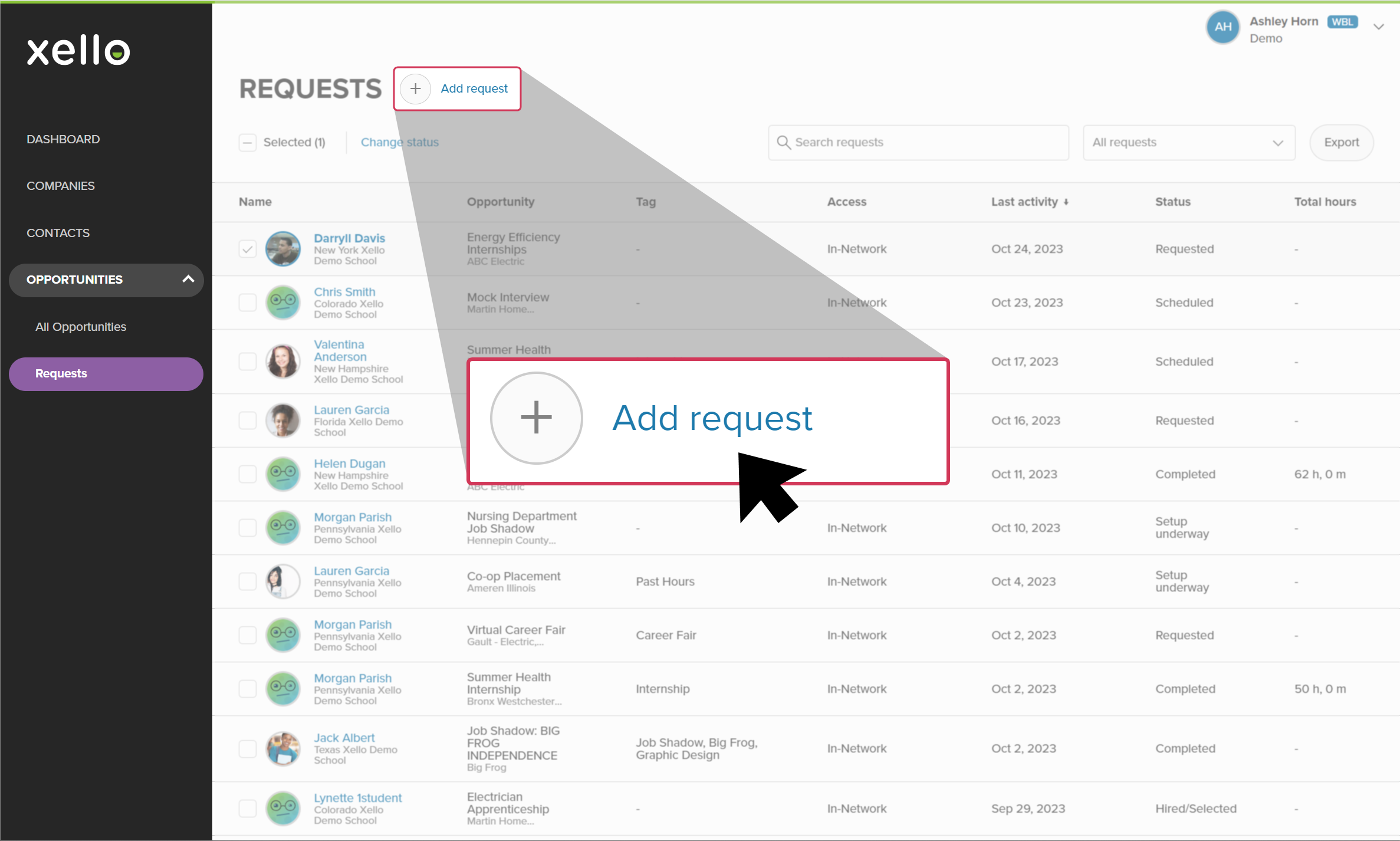 Click to enlarge
- Enter the name of the student. Auto-fill will suggest students as you type.
- Multiple students can be added by typing and selecting the students.
- Or click Select students to pull up the student list. From here you can click Filter and quickly narrow the list further.
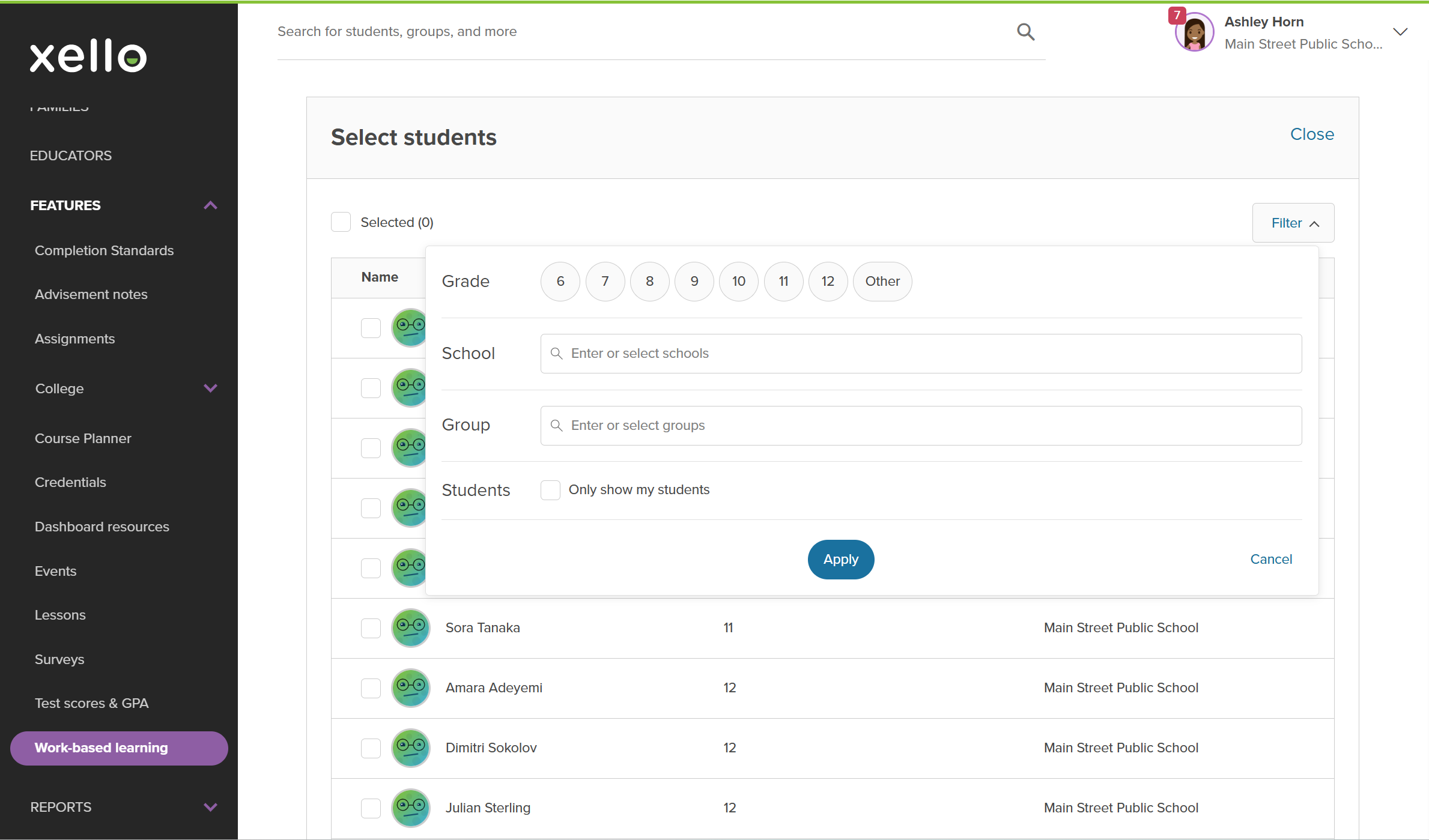 Click to enlarge
- Enter the Opportunity name. Auto-fill will suggest existing opportunities as you type.
- Select a Status.
 FYI: If you change the status to Completed, you'll be able to add the hours and the date of completion for your student.
 - Add Total hours if necessary.
- Click Save.
 Back to top
Additional resources
-
 Xello academy
Xello's Work-based learning module
Xello academy
Xello academyXello's Work-based learning moduleAre you a WBL administrator or coordinator working with Xello's Work-Based Learning module? In this course you'll learn how to utilize the additional features students have access to in Xello as you guide students in their exploration of WBL.
-
 PDF
PDFIntroduction to WBL in Xello
PDF
PDFIntroduction to WBL in Xello -
 Short Video
Help students thrive with Work-based learning
Short Video
Short VideoHelp students thrive with Work-based learningUse this short overview video to get an introduction to Xello's work-based learning module. Learn how this integrated platform opens up a world of discovery for students and educators to better prepare them for an ever-changing world.
-
 Recorded webinar
Recorded WebinarThe Basics: WBL in Xello for Admin
Recorded webinar
Recorded WebinarThe Basics: WBL in Xello for Admin -
Recorded webinar
Recorded WebinarBeyond Basics: WBL Learning in Xello for Admin
-
 Xello Resource
Get Started for WBL Administrators
Xello Resource
Xello ResourceGet Started for WBL Administrators